Foodland UNITXPRO Requesta walkthrough

A Radhakrishna Foodland solution

Powering quality, compliance & operational excellence

UNITXPRO digitizes quality, compliance, and daily execution across plants, warehouses, and stores.

01 · Context & executive summary

Quality, food safety, and compliance at unit level

The decision frame for digital HSEQ and food-safety execution.

The context

As food businesses scale, more stores, plants, SKUs, and delivery volumes, consistent food safety, hygiene, and quality practices come under pressure.

Leadership needs compliance monitoring extended to the unit level, enabling real-time, data-driven HSEQ and food-safety decisions closer to the point of service.

What leaders want to resolve

  • Standardize food safety checks: uniform HSEQ audit checklists across all units
  • Reduce manual audit effort: digitize inspection, checklist, and evidence capture
  • Improve real-time visibility: live dashboards on compliance and audit status
  • Strengthen corrective action tracking: automated non-conformance and CAPA workflows
  • Ensure regulatory readiness: audit-trail readiness for FSSAI, HACCP, and internal QA

The UNITXPRO response

As a food operator with decades on the floor, Radhakrishna Foodland understands food safety and operational excellence at scale, and aligns delivery to your HSEQ goals, not a generic software rollout.

UNITXPRO brings three decades of HSEQ, quality, and process rigor into a single digitized compliance platform, purpose-built for plants, warehouses, and store networks.

We configure UNITXPRO to your HSEQ and food-safety SOPs and audit cadence, and invest the time, management bandwidth, and on-site support this work requires.

How we deliver

  1. D1 Diagnose

    Unit-level HSEQ and food-safety gaps, checklist coverage, and audit cadence.

  2. D2 Design right-fit checklists

    Configure UNITXPRO audit modules to your HSEQ and food-safety SOPs.

  3. D3 Deploy monitoring platform

    Mobile audit app, real-time dashboards, and non-conformance workflow.

  4. D4 Drive measurable compliance outcomes

    Over an agreed period, benchmarked against audit scores and compliance %.

02 · About us

A food-industry operator. A product we run ourselves.

Radhakrishna Foodland Pvt. Ltd., Thane. UNITXPRO is the Total Unit Management platform we built so every plant, warehouse, and store works the same way.

01

Fifty years in food

A Planet Group company. Cold chain, quality, and unit operations, not a generic software house.

02

Present on the floor

We configure UNITXPRO to the SOPs you already have, then train the shift that will run it.

03

One standard, every unit

The first location and the hundredth execute the same process. Evidence sits on the task.

About Foodland Our vision & mission

03 · UNITXPRO

A centralized unit management system

UNITXPRO is a Total Unit Management platform that turns SOPs into daily execution, so every role knows what to do, when, and how, with evidence leadership can trust.

What UNITXPRO does

It maps company goals to every role, calendarizes work by frequency, and places procedures, checklists, and evidence on the task itself. Plants, warehouses, and stores execute the same process, configured to their assets, not forced onto a generic methodology.

Problems it addresses

Paper SOPs, person-dependent reporting, missed checks, and audits that discover gaps instead of confirming control. Multi-unit businesses feel this as different locations executing the same process in different ways.

Key capabilities

Quality and food safety, audits and CAPA, complaints and RCA, plant uptime, traceability, and people and documents. Modules are configured to the units you stabilize first, not taken all on day one.

Expected business value

Consistent execution, real-time visibility, and a closed loop from work on the floor to issues that actually close. The four outcomes below are the decision frame for this proposal.

Operational Excellence

Standardize and digitize operational processes.

Visibility

Provide real-time visibility into execution, compliance and performance.

Scalability

Enable consistent execution across multiple locations and business units.

Continuous Improvement

Use operational data to identify issues and improvement opportunities.

Value chain

  1. Standardize
  2. Digitize
  3. Execute
  4. Monitor
  5. Analyze
  6. Improve

04 · Our Solution

UNITXPRO is a connected operational platform

It connects how units plan, execute, prove, and improve work, one system, configured to the processes you stabilize first. Open a capability to see what it does and the business benefit.

01

Operations Management

Standardize how work is assigned, sequenced, and executed on the floor.

Task Management

What it does Assigns daily, weekly, and monthly work to roles.

Business benefit Every person sees the next action instead of waiting for a supervisor.

Workflow Management

What it does Sequences checks, approvals, and exceptions on the task.

Business benefit Work moves without binders, WhatsApp, or retyping after the fact.

Scheduling

What it does Calendarizes work by frequency to the org chart you already have.

Business benefit Execution no longer depends on memory or a paper roster.

SOP Management

What it does Places controlled procedures, manuals, and checklists on the task, with versioning.

Business benefit The current SOP is used at the moment of work.

Role-based execution

What it does Maps company goals to each role, then shows only that role’s work.

Business benefit The right person does the right work, every shift.

02

Quality & Compliance

Make quality, audits, and corrective action a daily system.

Quality Checks

What it does Captures quality, safety, and production parameters during the batch.

Business benefit Inconsistencies flag automatically instead of in a month-end report.

Audits

What it does Turns internal, client, and statutory audits into scheduled tasks, with geo-fence options for stores.

Business benefit Compliance is continuous, not an inspection event.

CAPA

What it does Assigns owners, due dates, evidence, and escalation so actions close.

Business benefit Corrective action is tracked to completion.

Non-conformance

What it does Captures deviations with evidence, owners, and a traceable record.

Business benefit Issues are handled the same way across units.

Compliance monitoring

What it does Calendarizes hygiene, sanitization, and protocol tasks and highlights exceptions.

Business benefit Units stay inspection-ready without an audit scramble.

03

Maintenance & Assets

Protect uptime with planned work, RCA, and honest asset performance.

Preventive Maintenance

What it does Plans PM schedules against assets and keeps them on the calendar.

Business benefit The line is protected before it fails.

TPM

What it does Puts shop-floor TPM routines on roles as recurring work.

Business benefit Less unplanned downtime from missed basic care.

Work Orders

What it does Logs breakdowns, assigns work, and tracks response.

Business benefit Failures have an owner instead of a WhatsApp thread.

RCA

What it does Structures root-cause analysis on breakdowns and quality issues.

Business benefit Fixes address the cause, not only the symptom.

Equipment performance

What it does Tracks downtime, MTTR, and MTBF against the schedule.

Business benefit Leadership sees asset performance they can act on.

04

Supply Chain & Traceability

Keep identity, inventory, and movement connected from inbound to dispatch.

Inventory

What it does Digitizes inward/outward, GRN, and QC gating.

Business benefit Stock on the system matches stock on the floor.

Warehouse Operations

What it does Controls loading, dispatch, and vehicle movement as tasked work.

Business benefit Outbound is evidenced, not reconstructed later.

Traceability

What it does Carries batch identity from farm or inbound through production to the finished good.

Business benefit One identity through the chain when something must be traced.

Batch Management

What it does Ties batch records to QC, consumption, and dispatch.

Business benefit Fewer documentation errors and faster investigation.

05

People & Knowledge

Put training and knowledge on the work, not only in a classroom.

Training

What it does Ties role-based training, attendance, and assessments to unit work.

Business benefit Skills follow the job, not a one-off session.

E-learning

What it does Delivers on-demand learning on the task itself.

Business benefit People can learn at the moment of work.

Knowledge Management

What it does Surfaces WIDAQ, manuals, and checklists where the work happens.

Business benefit Knowledge is not locked in a binder or a shared drive.

Role-based learning

What it does Shows learning content for the role on shift.

Business benefit People are trained for the work they actually do.

06

Analytics & Visibility

Give leadership a view of this shift, not last month’s spreadsheet.

Dashboards

What it does Surfaces completion, exceptions, and compliance as they happen.

Business benefit Leadership can see this shift, not last week.

KPIs

What it does Tracks operational KPIs across units, efficiency, wastage, exceptions.

Business benefit Locations become comparable on the same measures.

Reports

What it does Produces exportable operational reports for review.

Business benefit Evaluation and governance have evidence, not anecdotes.

Operational analytics

What it does Trends downtime, RCA, audits, and task risk over time.

Business benefit Improvement is driven by signal, not opinion.

You do not take every capability on day one. Configure the groups that match the units you stabilize first.

See all solutions

05 · How UNITXPRO Works

One connected loop from standardize to improve

Select a stage to see what it does in the operating cycle.

Six-stage operating cycle. Select a stage to read its description. The loop returns from Improve to Standardize.

UNITXPRO

Connected operational platform

01

Standardize

Convert organizational knowledge, SOPs and processes into structured digital workflows.

Improve feeds the next standard. The loop does not end at a report.

06 · Business Outcomes

Capabilities matter when they change how the operation runs

This is not a feature list. It translates what UNITXPRO does into results an evaluation committee can take forward. Select an outcome to see the path that produces it.

How value is created

Feature

Controlled SOPs and checklists on the work

Capability

Role-based execution

Business outcome

Standardized execution across locations

Where a catalog deployment has been measured, the figure is below. These are reference results, not a forecast for this proposal. Outcomes without a published figure are stated qualitatively.

36%

lower routine-task risk in 3 months

60%

higher on-time task completion

26%

less equipment downtime with TPM

40%

faster root-cause analysis on complaints

Farming aggregate: about 70% fewer BMR documentation errors. Food retail network: geo-fenced audits across 100+ stores. Open the delivery evidence

07 · Key impacts

Digitalization used on the floor, not only in a workshop.

26%

Less downtime

TPM on a 5S foundation.

40%

Faster RCA

Complaints closed on a digital workflow.

10%

Less audit effort

Food-safety exceptions in real time.

5%

Yield

Batch parameters saved and monitored.

At a glance

Years
30+
Locations
100+
Users
10,000+
Processes
45+

08 · Experience / Case Studies

Proof that we can deliver

Catalog deployments across operating models. Sector labels only, not named clients, and not a forecast for this proposal.

Delivery evidence

Published results, not a forecast

01 Farming aggregate Agri-business & animal feed Digital batch records with SAP-integrated inward-outward tracking. View

Verified metrics

~70%

fewer BMR documentation errors

~35%

less downtime from SAP re-entry

~45%

faster batch release

~50%

quicker audits

02 Food retail network D2C food retail Geo-fenced food-safety audits and CAPA across 100+ stores and hubs. View

Verified metrics

100+

delivery centers and stores

100%

real-time audit visibility across hubs

03 FMCG warehouse network FMCG warehousing Multi-warehouse unit management across a national network. View

Verified metrics

36%

less routine-task risk

60%

better on-time completion

04 QSR supply chain Quick-service supply chain Role-mapped unit management with a measured lift in task visibility. View

Verified metrics

41

role-mapped positions

33%

improvement in task visibility within 9 months

Figures are published catalog results. Each case is a short summary plus the metrics, not a full project narrative.

Browse all case studies

09 · Technology & Integration

UNITXPRO sits in the stack. It does not replace the system of record.

A cloud platform beside ERP and CRM, not in place of them. Select a system to see how UNITXPRO sits beside it.

Enterprise architecture

Illustrative · scoped per engagement

Enterprise systems

UNITXPRO

Connected operational platform · Cloud SaaS · Browser and mobile

People who run the work

Operational Users Managers Administrators Frontline Teams

ERP

Catalog integration: inward, consumption, and dispatch stay in sync with SAP / ERP where that work is in scope. UNITXPRO does not replace the ERP as system of record.

10 · Security & Enterprise Readiness

Enterprise readiness your evaluation committee can test, documented honestly

Eight controls are ready to demonstrate in a technical walkthrough, including authentication, user management, cloud backup and recovery, and completed VAPT. Two more are agreed during evaluation and captured in your security pack. We share evidence for what is in place; we document integration-specific controls with your IT and security team, without claiming certifications we cannot evidence.

8

Ready to demonstrate

2

Agreed in evaluation

0

Invented certifications

Demonstrate in a walkthrough

Document with your security team

01 Ready to demonstrate

Audit trails

Change records, document versioning, approvals, and tamper-proof history. Photos, timestamps, and geo-fence sit on the task where store audits require it.

02 Ready to demonstrate

Role-based access

Tasks, documents, and dashboards follow the org chart you already have, so each site, role, and function sees the right work.

03 Ready to demonstrate

Authorization

Company goals map to each role. People see the work for that role, not the full catalog of tasks.

04 Ready to demonstrate

Authentication

Authentication is in active use on the UNITXPRO cloud platform, hosted on our managed cloud infrastructure. Users sign in today; work is shown by role in the walkthrough.

05 Ready to demonstrate

User management

User management runs through roles and positions mapped to your org chart, who sees what work, and which positions can administer accounts.

06 Ready to demonstrate

Backup / recovery

Backup and restore are operational on our managed cloud servers, recovery is tested as part of the technical walkthrough, not assumed on this page.

07 Ready to demonstrate

VAPT

Vulnerability assessment and penetration testing is complete. Findings and remediation status are available for your evaluation committee.

08 Ready to demonstrate

Monitoring

Operational exceptions, dashboards, and drill-down are ready to show. Security-event monitoring and completed VAPT context are documented in your evaluation pack.

09 Agreed in evaluation

Data protection

Tamper-proof records are ready to demonstrate. Encryption, retention, and data-residency controls hosted in our secure cloud environment are agreed with your IT and security team in the evaluation pack.

10 Agreed in evaluation

API security

Low-code APIs for bots and sensors are in the catalog. API authentication and protection controls are documented for your integration in the evaluation pack.

This proposal does not claim ISO, SOC, GDPR, or other certifications. Authentication, user management, managed cloud backup and recovery, and completed VAPT are ready to demonstrate. Remaining controls are captured in your security pack during evaluation.

Book a technical walkthrough Request evaluation pack

11 · Reporting

From the floor to the decision maker, without a spreadsheet chain.

Capture on the unit, report on the same record. Sample layout, not this engagement’s live data.

What leadership sees

UNITXPRO analytics on Qlik Sense, catalog sample.

Qlik Sense · Unit Operations

Catalog dashboard

How data moves

01 Capture on the unit

  • Mobile / GPS audit
  • Photos & timestamp
  • IPQC & IoT sensors
  • Lab test entry

02 UNITXPRO

Foodland product · cloud

Low-code APIs and ERP / SAP. Complements the system of record.

03 Decision layer

  • Live dashboards
  • 5 reports + 1 dashboard
  • Lab MIS · RM / non-RM
  • Auto mailer on status

Dashboard figures are a layout sample. Live scores are configured after the first process is agreed.

12 · Implementation Approach

Configure the way you already work, then adopt it on the floor

An illustrative method for enterprise environments, not a client-specific plan. Duration is sized per scope. A dated sequence sits in the Roadmap chapter.

Illustrative Implementation Approach

Seven implementation phases. Select a phase to read its objective, key activities, and output.

Objective

Understand processes, stakeholders, locations, systems and requirements.

Key Activities

Identify units, roles, and the SOPs that already exist. Agree the first process to stabilize.

Output

Agreed first process, with the units and roles in scope.

You do not take every module on day one. Stabilize the first process, then expand. Optimize informs the next process to configure. Open the illustrative roadmap

13 · Illustrative Implementation Roadmap

A relative sequence of work, not a calendar commitment

Bars show how workstreams typically overlap. The scale is relative. Duration is sized to scope, locations, integrations, and readiness.

  1. Discovery
  2. Design
  3. Configuration
  4. Integration
  5. Pilot
  6. Training
  7. Rollout
  8. Optimization

Actual timelines may vary based on scope, number of locations, integrations, configuration requirements and organizational readiness. Licenses then run on an annual (12 to 24 month) term.

14 · What You Get

What an engagement produces

A configured platform, the work to stand it up, the training to run it, and the support after go-live. Scope, sites, and integrations are confirmed per engagement, this is not a client statement of work.

Delivery pack

Sized per engagement

01

Platform

What is configured and handed over.

  • Configured platform

    Units, roles, checklists, and documents ready for the first process.

  • Modules

    Configured to the units you stabilize first, not taken all on day one.

  • Workflows

    Checks, approvals, and exceptions sequenced on the task.

  • User roles

    Company goals mapped to each role. People see that role’s work.

  • Dashboards

    Completion, exceptions, and trends as they happen.

02

Implementation

The work to stand the platform up.

  • Discovery

    Identify units, roles, and the SOPs that already exist.

  • Configuration

    Checklists, SOPs, exception rules, and dashboards for the first process.

  • Integration

    SAP / ERP where inward, consumption, or dispatch must stay in sync.

  • Testing

    First unit live. Exceptions reviewed on the floor before scaling.

  • Deployment

    The same process model expanded to further units.

03

Enablement

People who can run the shift.

  • Administrator training

    Administrators and managers enabled on the configured work.

  • User training

    Floor training with e-learning and WIDAQ, not classroom-only.

  • Documentation

    Controlled procedures, manuals, and checklists on the task.

  • Knowledge transfer

    Named handover to the operating team.

04

Support

After go-live, not a one-off cutover.

  • Post-go-live support

    Reviews, dashboards, and handover, not a one-off go-live.

  • Issue resolution

    Exception review, RCA, and CAPA as a daily system.

  • Continuous improvement

    Measure adoption, identify gaps, and improve.

This is the UNITXPRO catalog pack. Modules, integrations, and training depth follow the processes you stabilize first. See the implementation approach

Discuss delivery scope View illustrative roadmap

15 · Test cases

UAT before rollout, not after the stores are live.

Illustrative pack. Cases are rewritten to your checklists once SOPs and the pilot unit are agreed.

  1. Auditor checks in on-site. Submit is blocked off-geofence. Photo, timestamp, and GPS sit on the record.

    Pass: the dashboard shows a geo-verified audit for that store, same day.

  2. A failed check opens NCR. Owner, due date, and escalation are set in the same flow, not a spreadsheet.

    Pass: CAPA is visible to regional and central roles with status, not a mailed file.

  3. Score or exception on the unit opens the underlying checks, evidence, and open CAPA.

    Pass: a decision maker reaches store-level evidence in one click from the dashboard.

  4. Status change on audit or CAPA triggers the configured mailer, no weekly pack wait.

    Pass: the named mailbox receives the status mail with unit and exception.

16 · Assumptions

What we need from the operating team to start on time.

These are catalog assumptions, not a dated commitment. Missing inputs move the implementation clock.

Inputs

From your side

Current SOPs, store / unit list, and one named pilot location. User names for the first license group.

Access

On the floor

Network on store devices. Time on shift for training, not classroom-only. A counterpart who can sign UAT.

Success

How we close UAT

The test cases above pass on the pilot unit. Open defects are listed before rollout.

17 · Frequently Asked Questions

Questions an evaluation committee usually asks

Catalog answers, not a client-specific SLA.

Evaluation FAQs

Catalog answers only

Implementation How is implementation typically structured?

An illustrative method runs Discover, Design, Configure, Pilot, Train, Rollout, then Optimize. Typical enterprise rollouts use a structured 10-week engagement so units adopt a new way of working together, that is catalog language, not a dated commitment. Actual timelines vary based on scope, number of locations, integrations, configuration requirements and organizational readiness.

Configuration How is UNITXPRO configured to the way we already work?

Industry best practice is the starting point. Process consultants map SOPs to roles and calendars. Checklists, assets, exception rules, and dashboards are customized so operators recognize the work. You do not take every module on day one. Stabilize the first process, then expand.

Integrations Does UNITXPRO replace ERP, or sit beside it?

ERP stays the system of record. UNITXPRO complements SAP and other ERP/CRM systems rather than replacing them. Inward, consumption, and dispatch stay in sync where that is in scope. Low-code APIs for bots and sensors are in the catalog. HRMS and BI appear as landscape only, not as a claimed connector list. API authentication and protection controls are to confirm for the engagement.

Multiple locations Can the same operating model run across many sites?

UNITXPRO is designed so every unit works the same way. Rollout expands the same process model to further units, configured to local assets. Catalog proof includes geo-fenced audits across 100+ stores and hubs, and a 57-warehouse FMCG rollout. Additional locations execute the same operating model once the first process is stable.

User management How do people see only the work for their role?

Users sign in to the UNITXPRO cloud platform. Company goals map to each role through roles and positions, so people see that role’s work, not the full catalog of tasks. Tasks, documents, and dashboards follow the org chart you already have.

Training How are administrators and frontline users trained?

Floor training with e-learning and WIDAQ, not a classroom-only program. Role-based training, attendance, and assessments are tied to unit work. Administrators, managers, and frontline users are enabled so people can run the shift on the configured work from shift one.

Support What happens after go-live?

Named handover to the operating team. Exception review, dashboards, and RCA / CAPA become a daily system, not a one-off go-live. Optimize measures adoption, identifies gaps, and continuously improves. Contact Radhakrishna Foodland at info@rkfoodland.com for a walkthrough or operating questions.

Pilot Do you start with a pilot before scaling?

Yes. Discovery agrees the first process to stabilize. Pilot takes the first unit live and reviews exceptions on the floor before scaling. The output is a validated first-unit configuration, ready to expand. The next module is taken only when the first process is stable.

Scalability How does the platform scale after the first process?

Rollout scales the same process model across locations and business units. Optimize informs the next process to configure. UNITXPRO is a cloud-based Total Unit Management platform for plants, warehouses, and stores. Catalog deployments include 100+ stores and 57 warehouses. Module scope and duration are sized to the engagement.
18 · Recognition

Recognized by the industry over the years

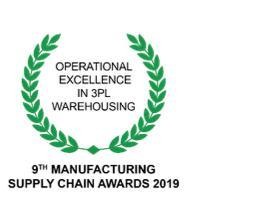
  • Operational excellence in 3PL warehousing, 9th Manufacturing Supply Chain Awards 2019
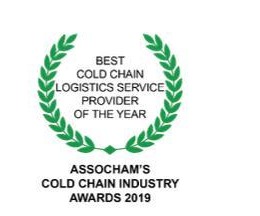
  • Best cold chain logistics service provider of the year, ASSOCHAM Cold Chain Industry Awards 2019
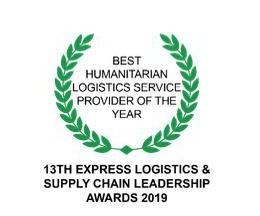
  • Best humanitarian logistics service provider of the year, 13th Express Logistics and Supply Chain Leadership Awards 2019
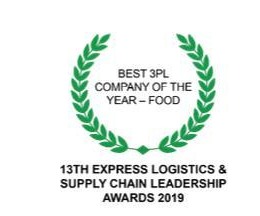
  • Best 3PL company of the year, food, 13th Express Logistics and Supply Chain Leadership Awards 2019
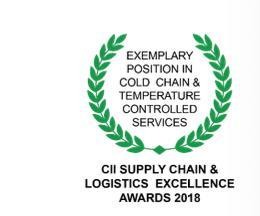
  • Exemplary position in cold chain and temperature controlled services, CII Supply Chain and Logistics Excellence Awards 2018
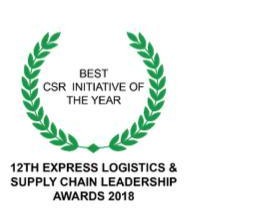
  • Best CSR initiative of the year, 12th Express Logistics and Supply Chain Leadership Awards 2018
  • Best 3PL company of the year, food, 12th Express Logistics and Supply Chain Leadership Awards 2018
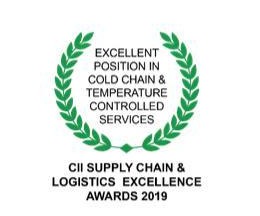
  • Excellent position in cold chain and temperature controlled services, CII Supply Chain and Logistics Excellence Awards 2019
  • Exemplary position in third party logistics, CII Supply Chain and Logistics Excellence Awards 2018
  • Best processed food cold chain solution of the year, ASSOCHAM Cold Chain Industry Awards 2018
  • Best-in-class excellence in end-to-end customer solutions, Future Supply Chain Manufacturing Supply Chain Awards 2018
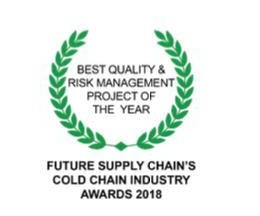
  • Best quality and risk management project of the year, Future Supply Chain Cold Chain Industry Awards 2018
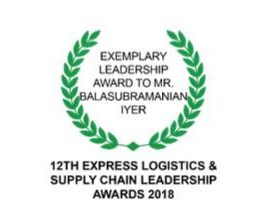
  • Exemplary leadership award, 12th Express Logistics and Supply Chain Leadership Awards 2018
  • Digital excellence in transportation and logistics, Digital Industry Awards 2018

19 · Next Steps

Ready to Move Forward?

You have the evaluation pack. The first conversation is a discovery discussion, not a purchase. We map UNITXPRO to the units, roles, and SOPs you already have.

  1. 01

    Discovery Discussion

    Share a plant, warehouse, or store network. We start with processes, stakeholders, locations, systems and requirements, not a generic pitch.

  2. 02

    Requirement Assessment

    Identify units, roles, and the SOPs that already exist. Agree the first process to stabilize before any rollout.

  3. 03

    Solution Demonstration

    A walkthrough mapped to those SOPs and units, the adoption path, not a generic demo.

  4. 04

    Pilot / Proof of Concept

    Take the first unit live. Review exceptions on the floor before scaling. Output: a validated first-unit configuration.

  5. 05

    Implementation Planning

    A relative sequence of work sized to scope, locations, integrations, and readiness, not a calendar commitment until that scope is agreed.

What happens next

A discussion does not imply a commercial commitment. Scope, locations, integrations, and commercials are confirmed before implementation planning is dated.

Contact

Request a walkthrough

Share a plant, warehouse, or store network. We will map UNITXPRO to the SOPs you already run, not a generic pitch.

Send a brief

Your name, company, work email, and note are emailed to the UNITXPRO team. Reply happens from Radhakrishna Foodland.